01 — Build your vision
Mood boards, themes, colour and material coherence. Define it before you buy it.
Before you buy anything, before you even look at a single product page, you need to answer one question: what do you actually want your space to feel like?
Most people skip this step entirely. They start browsing desks, keyboards, and monitors before they've decided on something as fundamental as the colour of their walls. Then they wonder why everything they buy feels slightly off — why the products that looked great in someone else's setup look random and disconnected in theirs.
Vision comes first. Everything else follows.
Start with the walls
If you're setting up a home office from scratch or doing a makeover, the single most important decision you'll make isn't the desk — it's the paint colour. The walls are the backdrop for everything. They set the mood, the light, and the entire atmosphere of the space before a single product enters it.
In my case, I knew from the start that I wanted a dark environment. I was drawn to moody, focused spaces — dark walls, controlled lighting, no visual noise. So my first searches on Pinterest weren't "best desk setup products." They were "dark home office" and "black theme desk setup."
But before you paint your walls black like I did, understand the trade-off. Dark walls absorb light. That's a good thing if you want to reduce screen reflections, improve focus, and create a more immersive environment — especially at night. It becomes a problem if you love plants, because they need light to survive.
My solution was what I call an accent wall. One black wall — the one where my main setup sits — and the remaining walls in light gray. The accent wall creates the drama and contrast I wanted. The lighter walls support plant growth and help with video recording at lower ISO settings. It's a balance, and it's one I arrived at through thinking, not buying.
Define your theme before you search
Once you have a sense of the atmosphere you want, open Pinterest and start a dedicated board. Don't overthink the initial search terms — "desk setup ideas" and "home office inspiration" are enough to start. Save everything that feels right instinctively, without questioning why yet.
After you've saved twenty or thirty images, patterns will start to emerge. Maybe everything you saved is light and minimal. Maybe it's dark and moody. Maybe there's a lot of wood, or a lot of metal, or a lot of plants. Those patterns are your theme trying to tell you something.
For me, two things kept appearing: dark walls and warm wood tones. That combination led me to walnut — specifically the Ikea Karlby desk, which I came across while scrolling through endless setup photos. From that moment, walnut became my anchor material. Everything else in my setup was chosen to work with it.
The questions that define your direction
Before you go any further, answer these honestly:
Do you prefer light or dark environments? This is the most fundamental choice and it affects every decision that follows — your wall colour, your desk material, your lighting setup, even the plants you choose.
Do you want a calm, cozy space or something more energetic? I knew early on that I didn't want RGB gaming lights. I wanted something warmer and more intentional — more like a designed room than a gaming den.
What materials do you gravitate toward? Wood, metal, concrete, fabric? And within those — light wood or dark wood? Matte black or brushed aluminium?
You don't need to have all the answers immediately. When I started, I only had a rough idea — dark walls, a walnut desk, some greenery, no RGB. That rough idea was enough to start filtering. Only after establishing the general direction did I break it down into the details.
Coherence is everything
A mood board isn't decoration — it's a filter. Every product you consider buying later gets held up against it. Does this fit? Does the colour work with everything else? Does the material clash or complement?
The goal isn't to copy someone else's setup from your board. It's to understand your own taste well enough that when you walk into a store or open a product page, you already know whether something belongs in your space before you read a single review.
Take it further — use AI to see your vision inside your actual room
Once your mood board starts taking shape, there's a step most people don't know about that can completely change how you plan your space. Instead of imagining how a Pinterest setup might look in your room, you can now ask AI to show you — using a photo of your actual space as the starting point.
The tools I use for this are Google Nano Banana Pro (via Google AI Studio) and ChatGPT with image generation. Both accept a photo of your space and can transform it visually based on your instructions, while preserving the real proportions of the room.
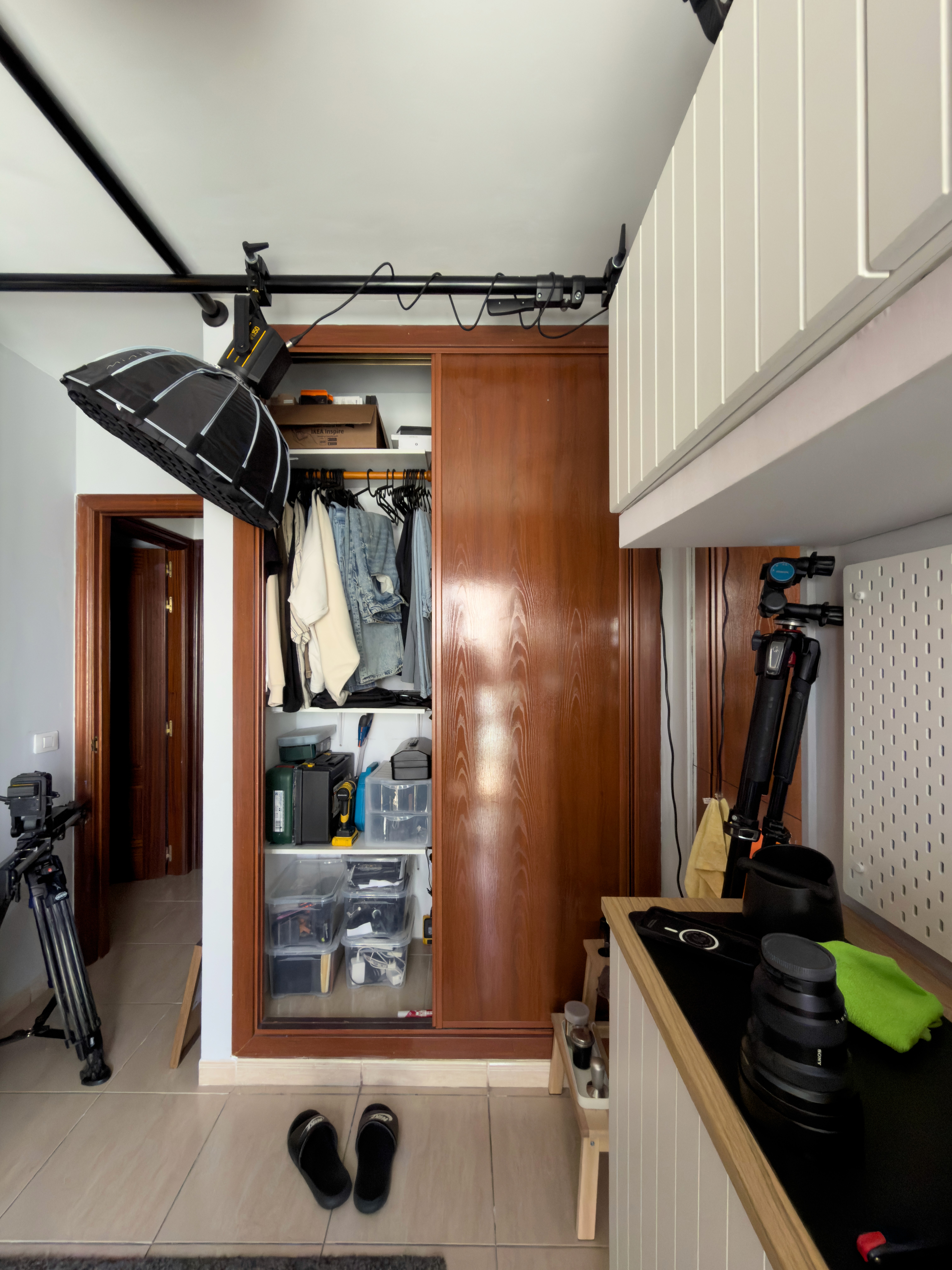
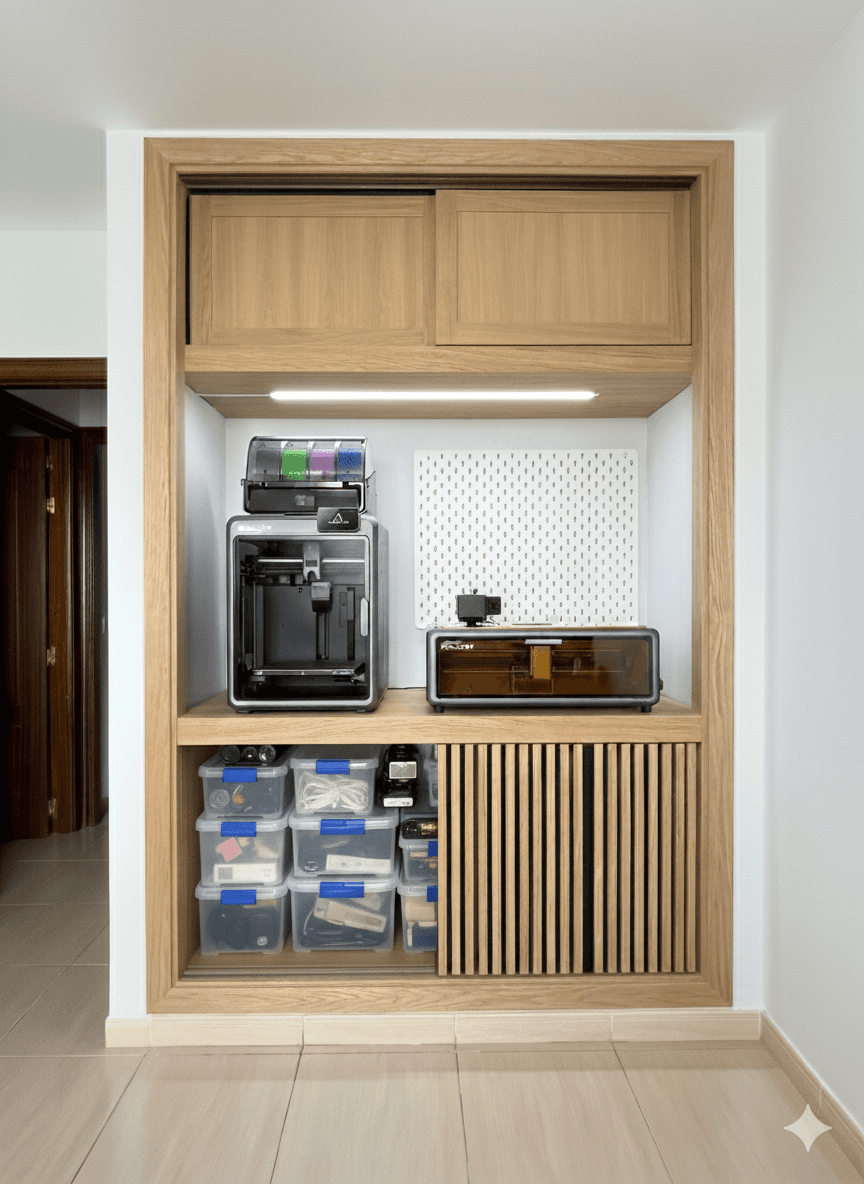
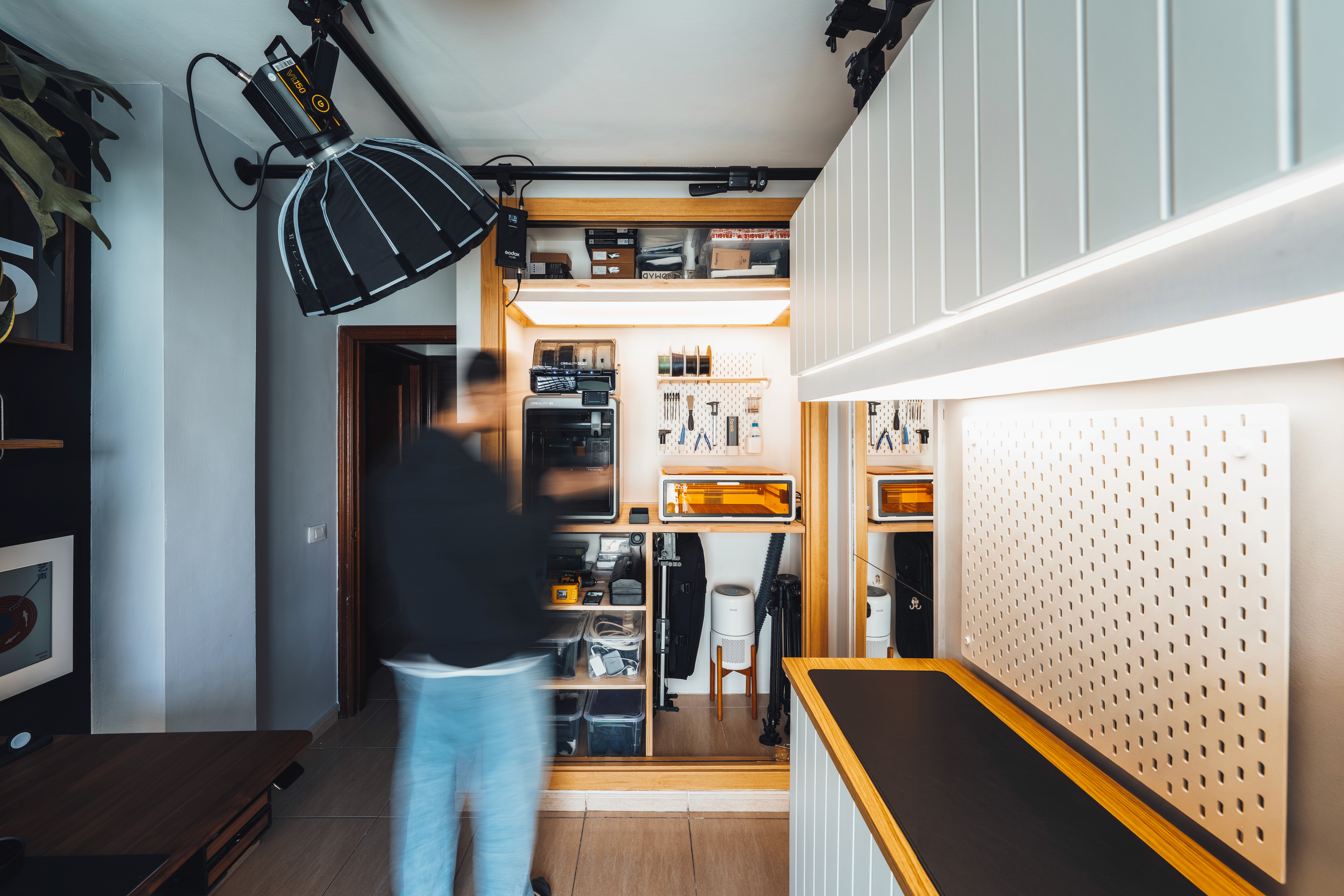
I used this exact process when redesigning my wardrobe into a dedicated workspace for 3D printing and storage. I had a clear list of what I needed — a 3D printer, a laser engraver, a pegboard, transparent storage boxes, a main work surface, and a separate division for gear — but I had no visual idea of how it would all come together. So I took a photo of the empty wardrobe, fed it into Nano Banana Pro, described everything I wanted, and within seconds had a photorealistic concept of the finished space. That image became my blueprint. The finished result you can see in this chapter was built directly from that AI-generated concept.
Real photo of the cabinet before:
What the AI created:
Results after the cabinet makeover:
This is a game changer for anyone who struggles to visualise abstract ideas. You're no longer looking at someone else's room on Pinterest — you're looking at your room, transformed.
Here are prompts you can use directly with your own photos:
To reimagine your own space: "This is a photo of my home office. Reimagine it with [dark walls / walnut desk / your theme here], minimal accessories, warm ambient lighting and some plants. Keep the exact room proportions and dimensions unchanged."
To transfer a Pinterest concept into your room: "Here is a photo of my room [attach photo] and here is a setup I love [attach Pinterest image]. Apply the aesthetic, colour palette and style of the second image to my room without changing its layout or proportions."
To plan a specific area or piece of furniture: "This is a photo of my [wardrobe / alcove / corner]. Reimagine it as a [desk setup / storage unit / maker space] with [list your items]. Maintain the exact dimensions of the space."
The key instruction in every prompt is to preserve the room proportions. Without that, the AI will generate something beautiful but completely unrealistic for your actual space.
Define the vision first. Use every tool available to make it as concrete as possible. The products are just the execution.
Complete Chapter