


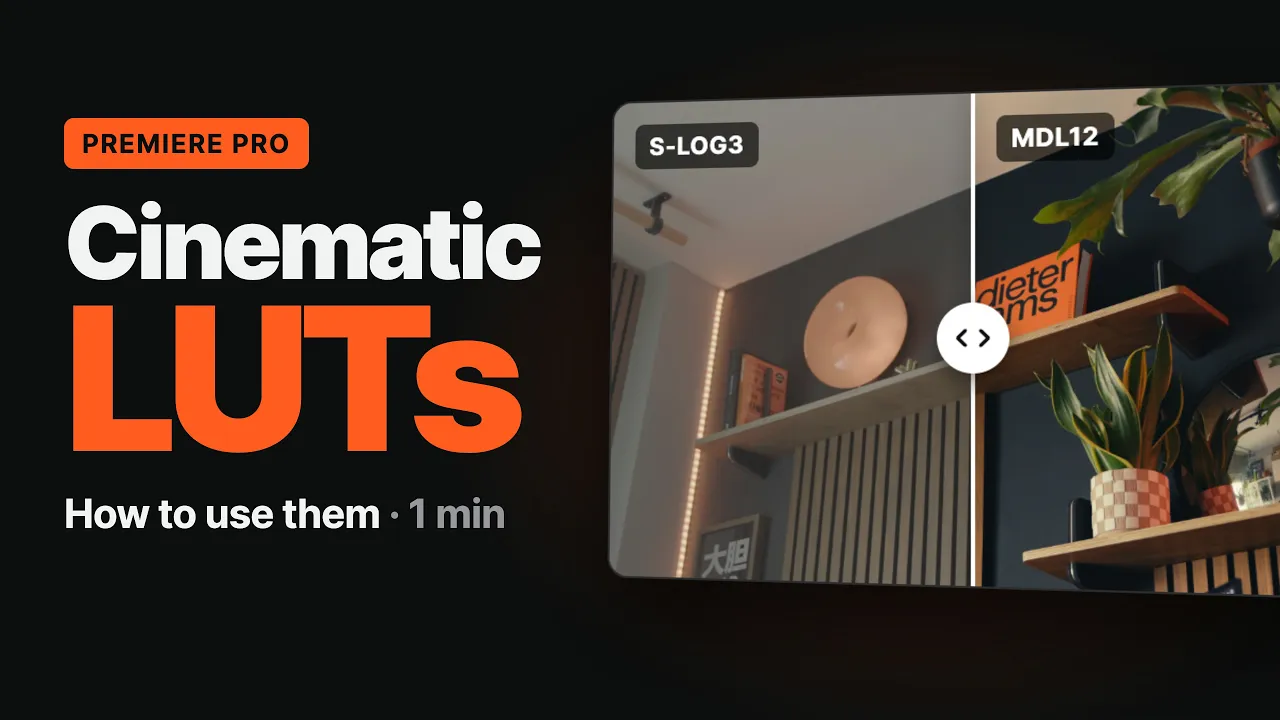
Cinematic LUTs Pack
The color of my videos, in one click.
16 cinematic LUTs for Sony S-Log3, Apple Log and any Rec.709 footage. All 11 original looks, rebuilt and improved, plus five new ones built from years of my own grades.

Try them live
Every LUT, on real footage.
Shot on a Sony A7R V in S-Log3. No color correction and no basic adjustments on any of these shots: just the LUT, applied straight to the untouched log clip, using the exact .cube files you download. Pick a scene, tap any LUT and drag the line to compare.
Before
New in this update. Drag the line to compare, or tap any LUT to switch it live.
New in this update
Five new looks
MDL12
Built from MDL10, the look on my recent videos, and refined. It's probably the one I'll switch to next.
MDL13
Warm and soft, with gentle highlights, a cool touch in the shadows and natural skin.
MDL14
Creamy whites, pastel color and lifted blacks, with golden skin tones.
MDL15
Dense, rich color with creamy whites and warm blacks. The yellows glow.
MDL16
Clean blacks and lamps that glow without clipping, with a cooler, quieter mood.
Rebuilt from scratch
The original 11, rebuilt and improved.
I rebuilt every original look, MDL01 to MDL11, on the same color engine as the new ones. Same character you know, better behaved: shadows no longer crush to black, and the S-Log3, Apple Log and Rec.709 versions now give the same result on the same shot.
Already own the pack? The rebuilt versions are a free update.
WHAT CHANGED
Shadows
No crushed blacks
Consistency
Same look in all 3 versions
Versions
S-Log3 · Apple Log · Rec.709
Files
65- and 33-point
How it works
Three versions of every look
Sony S-Log3
Apply the S-Log3 version straight on your log clip. No conversion needed.
iPhone Apple Log
Shot in Apple Log on iPhone? Use the Apple Log version directly on the clip.
Any other camera
Shot in C-Log, V-Log, F-Log, N-Log or D-Log? Convert it with your brand's official LUT, then add the Rec.709 version. Standard, phone and S-Cinetone footage needs no conversion.
Fine-tune
Set white balance and exposure first: a LUT can't fix them. Then lower the LUT's intensity until it feels right.
Works with Premiere Pro, DaVinci Resolve, Final Cut Pro, CapCut, Photoshop and any app that reads .cube LUTs.
How to use them
From download to final grade.
A 75-second walkthrough in Premiere Pro: where to install the LUTs, what to set before applying them, how to use them with other cameras, and the one mistake to avoid.
One price
One price. All 16 LUTs.
No subscription, no tiers. Pay once and get every future update.
€29.99
one-time
16 looks in three versions, ready for your footage.
16 cinematic LUTs — MDL01 to MDL16: 11 rebuilt, 5 new
3 versions of every look — S-Log3, Apple Log and Rec.709
65- and 33-point .cube files — for any editing app
Video tutorial — install and apply them in Premiere Pro, step by step
Free lifetime updates, including every new look
Bonus — the same 16 looks as Lightroom and Camera Raw presets, for your photos
Get the LUTs — €29.99
Instant download · Digital product: all sales are final.
FAQ
Questions, answered
Which LUT do you use on your videos?
+
Which cameras do they work with?
+
Which apps can I use them in?
+
Do I need to shoot in log?
+
Will my footage look exactly like the previews?
+
Do the LUTs add film grain or halation?
+
I bought the pack before. Do I get the new looks?
+
Can I use the looks on photos?
+
Can I get a refund?
+
Cinematic LUTs Pack
Give your footage a look of its own.
€29.99 once. All 16 LUTs and every future update.
Get the LUTs